Content |
|||||||||||
|
Description |
|
|

"LoginSample" logs Samples into the system. The new Samples are then sent to the Output Queue. This Task has no Input Queue, as it creates SDIs.

|
| NOTE: | This is a "User Task" (see Workflow Task Definition Maintenance Page → New Task Details → Task Detail → System Task). |
Functionality |
|
|
Setup Task |
"Setup Task" is a GroovyStep that sets variables required to define values used to create the Samples. Note that it branches depending on whether or not you want to create a Sample Template.
Select Template |
"Select Template" is a FormStep that builds a Form using some of those Variables to set and get the TemplateId. "Setup Variables" is another GroovyStep that sets these Variable values so they can be accepted by "Enter Sample Details".

|
Enter Sample Details |
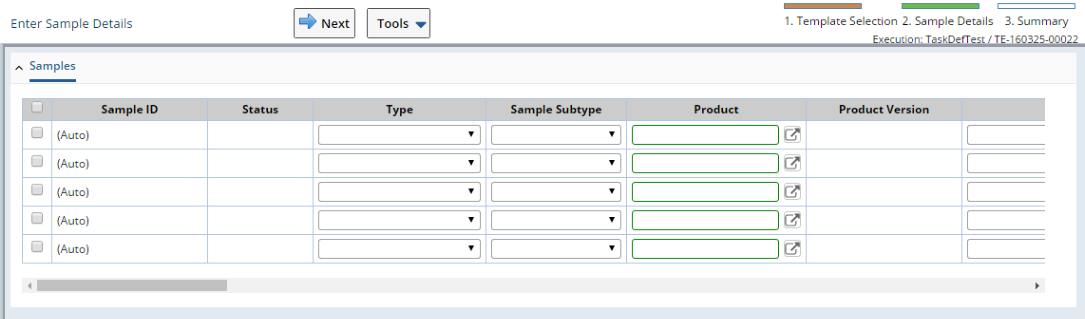
"Enter Sample Details" is a MaintPageStep that lets you edit the Samples. Either a MaintenanceGrid (for multiple Samples as shown below) or MaintenanceForm (for a single Sample) is displayed.
|
Summary |
"Summary" is an HTMLStep that shows the Samples created.

|